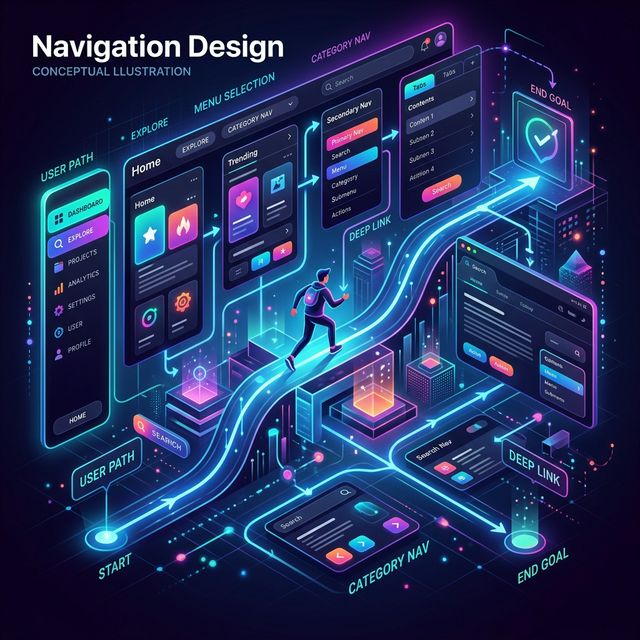
Navigation Design in UI/UX: The Complete Guide to
Creating Seamless User Experiences
No matter how beautiful your interface is, if users can't find
what they're looking for, the experience fails.
That's why navigation design in UI/UX is one of the most
critical aspects of any digital product. It acts as the bridge between users
and content—guiding them smoothly from one section to another.
Good navigation feels invisible.
Bad navigation feels
frustrating.
What Is Navigation Design?
Navigation design is the process of creating systems that
help users move through a website or app easily and efficiently.
It includes:
- Menus
- Links
- Buttons
- Navigation bars
- Search systems
In simple terms:
👉 Navigation design is how
users move inside your product.
Why Navigation Design Is Important in UX
Users don't want to think too much. They expect to find
things quickly and effortlessly.
1. Improves Usability
Clear navigation helps users complete tasks without
confusion.
2. Reduces Cognitive Load
Simple, predictable navigation means users don't have to
“figure things out.”
3. Increases Engagement
If users can easily explore, they stay longer and interact
more.
4. Improves Conversion Rates
Better navigation → Faster decisions → More conversions.
5. Supports Accessibility
Good navigation ensures that all users, including those with
disabilities, can use the product effectively.
Types of Navigation in UI/UX Design
Different products use different navigation systems
depending on complexity.
1. Global Navigation
This is the main navigation visible across the
entire product.
Examples: Top navigation bar,
Main menu.
Used for: Primary pages like
Home, About, Services, Contact.
2. Local Navigation
Navigation within a specific section.
Example: Subcategories inside a
product page.
3. Contextual Navigation
Links based on user behavior or content.
Examples: “Related articles”,
“You may also like”.
4. Footer Navigation
Located at the bottom of the page.
Used for: Secondary links,
Policies, Contact information.
5. Hamburger Menu (Mobile Navigation)
Common in mobile apps.
Used to: Save screen space,
Hide secondary options.
Key Principles of Good Navigation Design
- 1. Clarity Over Creativity: Avoid
fancy labels. Use simple, familiar terms. (e.g., “Contact” is better
than “Let's Connect With Us Now”)
- 2. Consistency: Navigation should
behave the same across all pages. Users should not relearn
navigation every time.
- 3. Visibility: Important navigation
elements should be easy to find. Don't hide essential actions.
- 4. Predictability: Users expect
certain patterns. Breaking these patterns creates confusion. (e.g.,
Logo → Homepage, Cart icon → Checkout)
- 5. Minimalism: Too many options overwhelm users.
Limit choices to what's necessary.
How to Design Navigation (Step-by-Step)
- Step 1: Understand User Needs - Use
User research, Personas, and Analytics to understand what users are
looking for.
- Step 2: Define Content Structure - Use
your Information Architecture and sitemap. Group content logically
before designing menus.
- Step 3: Prioritize Important Links -
Highlight high-value pages and frequently used features. Don't treat
all links equally.
- Step 4: Choose Navigation Pattern -
Select based on product type: Top bar (websites), Bottom navigation
(mobile apps), Sidebar (dashboards).
- Step 5: Test With Users - Check: Can users find
information quickly? Do they hesitate or get lost? Testing reveals
real issues.
Popular Navigation Patterns
- Top horizontal menu
- Sidebar navigation
- Tab navigation (mobile apps)
- Mega menu (large websites)
- Breadcrumb navigation
Mistakes to Avoid
- Too many menu items
- Confusing labels
- Hidden important features
- Inconsistent navigation
- Poor mobile navigation
Simple navigation always wins.
Real-World Example
Imagine an e-commerce website.
- Bad navigation: Too many categories, no
filters, confusing menu labels.
→ Users leave without
buying.
- Good navigation: Clear categories, smart
filters, easy search.
→ Faster purchases and better
experience.
Navigation Design & SEO
Navigation also affects SEO directly.
- Improves internal linking
- Helps search engines crawl pages
- Strengthens site structure
- Improves user engagement metrics
Better UX → Better SEO
rankings.
Navigation vs Information Architecture
These are closely related but different. Navigation
is built on top of IA.
| Navigation |
Information Architecture |
| Visible interface |
Structural foundation |
| Helps users move |
Organizes content |
| UI element |
UX strategy |
Final Thoughts
Navigation design is not just about menus—it's about guiding
users.
When done right, users don't get lost, tasks feel easy, and
the product feels intuitive.
In UI/UX design: Information Architecture
defines structure, Sitemap organizes pages, User flow defines movement,
and Navigation design makes it all usable.